
In queer media, the front page is sometimes (often) one big festival: LGBT activism, emigration dramas, rights issues, and protests. It’s all great, it’s all important, but let’s be honest: sometimes it feels like a never-ending marathon that makes your eyes pop out of your head. We at Doberman Media can see you scrolling and sighing—“not this again.” So enough of this: introducing our page "Settings". A voluntary “break” from the stream, which sometimes feels like… well, you get the idea. Choose for yourself what to read and listen to—and what not to.
What is the "Settings" page, and why is it needed at all?
It’s simple. We’ve added a separate page to the site where you can customize your feed to suit your preferences. No unnecessary clutter, no topics that wear you out. Also, when you visit for the first time, a window with checkboxes will appear—select the regions and topics that interest you. If you’re happy with the default settings (just leave them as is), click the “X,” and Doberman Media will show you all the content without any filters. No pressure: it’s your choice, your feed.
Forget about geolocation—it's all about your interests here. Doberman is read everywhere—from Moscow to Miami. But not everyone is equally interested in what’s happening in Belarus, the U.S., or Germany.
In the settings, there are six regions: Russia, Belarus, Ukraine, the U.S., the European Union, and Germany (listed separately). Check the box, and content from these parts of the world will remain in your feed, if available. Uncheck it, and it will disappear, just like yesterday’s tweet.
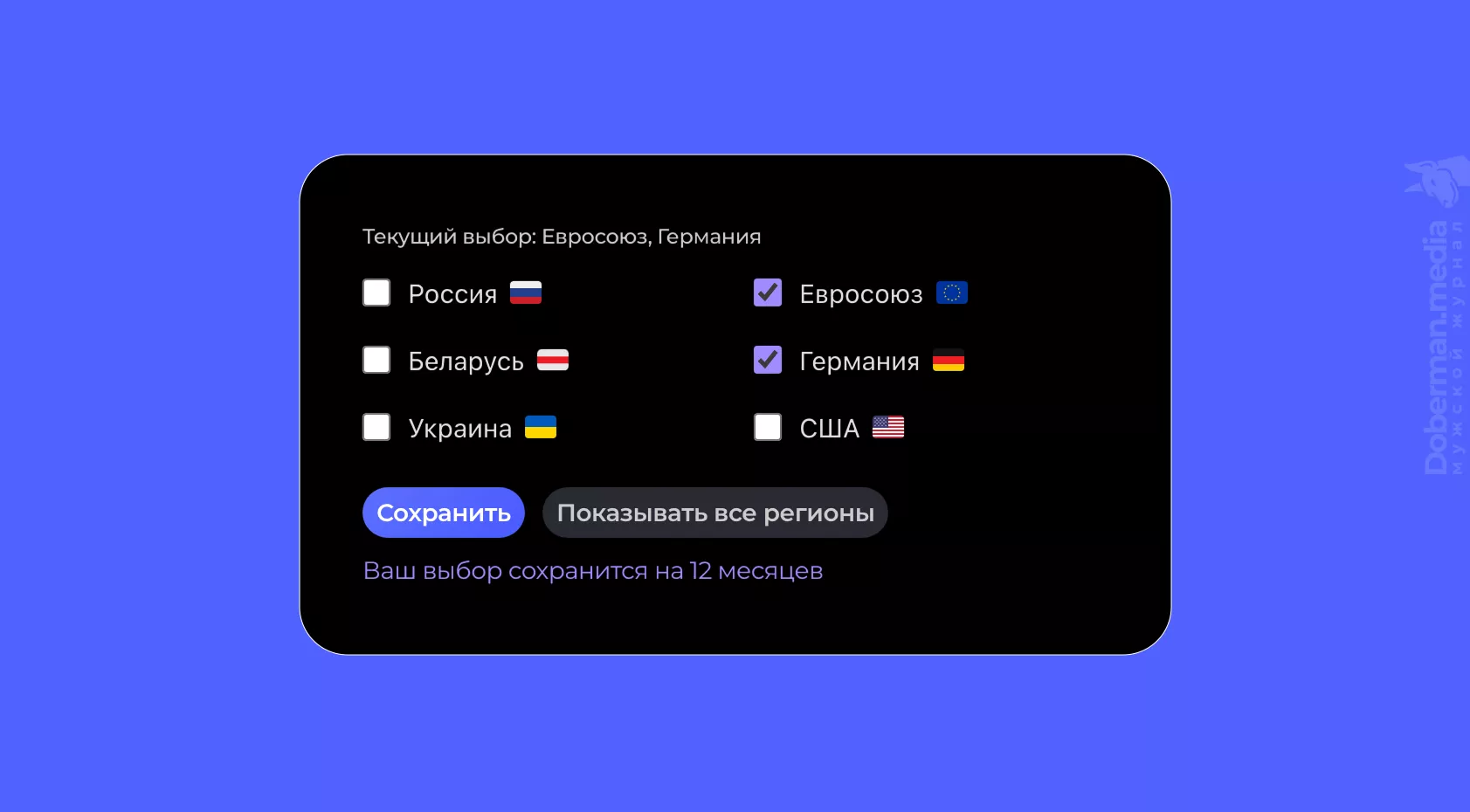
▲ Example of Location Selection “The European Union” and “Germany.” For example, this could be a setting for a Russian-speaking user in Cologne who does not want to see content related to Russia, Belarus, or Ukraine, but does want to see current posts related to the EU and, in particular, Germany.
Another layer of the filter — topics: “Human Rights” and “For Migrants.” Not a fan of human rights advocacy? Uncheck the box—and these texts will disappear. Tips for Immigrants (visas, integration, life as an expat) seem irrelevant now? Turn it off. It's simple: if the checkboxes are checked (by default), the content is included; if they're unchecked, the feed is cleaner.
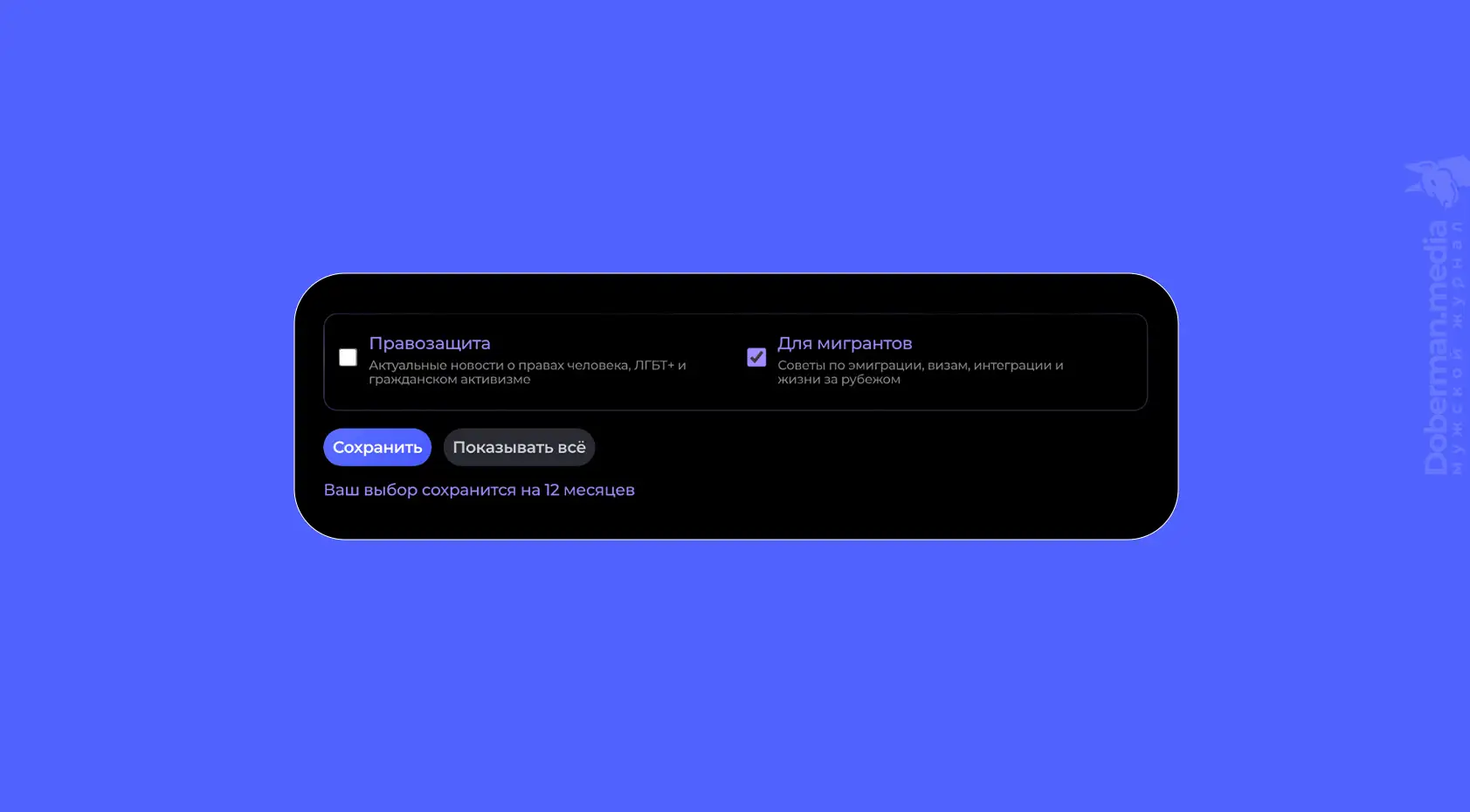
▲ Example of Choosing a Topic “For Migrants”. For example, this could be a setting for any user who is living abroad (or planning to move) but does not want to see content related to human rights, LGBT+, and civic activism.
You decide for yourself what to show and what to hide. No restrictions, no explanations. It's simple and straightforward.
Important: turn off absolutely everything You can't. That's how our filter works—if you uncheck all the boxes, the site will assume you're interested in everything. So please leave at least one box checked (in the regional settings or under one of the topics). For example, the country where you're located. Or the one you just enjoy reading about.
Will the website change significantly if certain regions or topics are disabled?
No (and that's for the best). Are you afraid that a single click — and will Doberman Media turn into boring minimalism? Don't worry: our settings page — It's not a nuclear button. About 90% of our content is general interest: culture, science, style, and sex – What interests everyone. The settings affect about 10% of the content – Regional news and topics related to human rights and emigration. The ribbon won't fall apart; it will just look cleaner.
All in all, the website won't change much—it adapts to your needs. Less noise, more of you. Give it a try: turn something off just to test it out, and you’ll see—Doberman Media is still yours. And if it seems too quiet, you can always crank it up a notch. We’re all about balance, not emptiness.
By default, everything is enabled so that new users don't get confused. But if you've been using Doberman for a while, this is your chance to customize it. Remember: hidden content isn’t deleted—it’s just waiting until you change your mind. Plus, this content is still accessible via direct links.
On this page, you can customize the site's theme and select the blog content to be displayed for your region:
Once you save your selection, your browser will remember it (in your browser's cookies) for 12 months.
Basically, the settings page is Doberman 2.0: for those who are tired of having to do everything at once. Go to settings, just click—and the feed is yours. And if something breaks (even though we've done our best to make sure everything works as it should), please contact support ([email protected]). We're here to make sure our content works for you, not the other way around.
What's the point of all this?
Let’s consider a typical scenario. Russians, who already have plenty of their own worries, are unlikely to get excited about an article on the Belarusian writer Korotkevich—it’s like forcing a Zenit fan to root for Barsu. And what about a Russian émigré in Germany? He couldn’t care less about yet another ban on Russian services: he’s already switched to Gmail or ProtonMail. Or news about the latest laws in Russia—abroad, the only people who read that are nostalgic old guys who listen to “Echo.”
Region settings solve this problem in just two clicks: you turn on what resonates with your reality and turn off what’s “foreign.” Your feed is cleaner, and your mind is calmer.
Ultimately, this is a step toward creating content that works for you. Not “everything under the sun,” but “everything that’s ours.” After all, Doberman Media isn't just a background—it's a tool. Yours.
Doberman launched a dark theme for the website. The sexiest theme 😉
Doberman.media is, without exaggeration, the most stylish and modern queer magazine. But until now, it’s only been available in a light color scheme. Sure, it’s pretty, but it’s boring and doesn’t quite live up to the words “stylish and modern.” That’s why there’s another update you may have noticed—and we’d like to tell you a little bit about it.
Now the Doberman Media has dark theme — and here's another cool thing: The website can decide on its own which theme to use, based on your device's settings. So, if you visit the site from a phone with a dark theme enabled, Doberman.Media immediately switches to dark mode. On a laptop with light settings, it’s light mode. It’s all automatic. But you still have full control. Want a light theme on a dark device? Easy. A dark theme on a light one? Just as simple. The theme toggle is located in the top and side menus—one click, and the site responds instantly.
A dark theme is easier on the eyes at night, a light theme is better during the day, and an automatic theme is for those who like it when everything adjusts on its own. By the way, some devices, like phones, have a nifty feature: the dark or light theme changes automatically depending on the time of day. And in this case, Doberman adapts to the device—when night falls, the dark theme turns on; when day breaks, the light theme takes over. However, if you manually select a theme on the website, this automatic process will be bypassed.
P.S. A Note from the Editor-in-Chief
The goal of Doberman Media is not only to provide high-quality content, but also to create a space where you can feel comfortable and free. My editorial team and I will strive to be your refuge from political and activist battles and propaganda, offering an alternative if that’s what you need right now.
Don't be afraid to tune out whatever doesn't interest you if you feel like you need a little mental and informational break (for example, from activism or Russian news).
We hope you have an enjoyable and positive experience on Doberman Media, thanks to our unique settings.






0 comments
Enter your email — we’ll send you a one-time code. No passwords or accounts.
Code sent to
If the email doesn't appear in your inbox within a few minutes, check your spam, junk, or promotions folder, as some email services may mistakenly place automated messages there